Merchant API Integration
- Once you have integrated Accrue Pay into your Mobile or Web App, you'll be able to Authorize Payments or Capture Payments on your backend.
- To facilitate this we are providing you with access to our
Merchant API, for which you'll receive aClient IDand aClient Secret - We'll provide you with additional credentials to access the
Sandbox APIthat you can use in your development environments.
Making requests to the Merchant API
- For a complete overview please refer to the Merchant API Reference.
- Our API is designed utilizing the REST paradigm.
- All requests are HTTP requests. Each request can be one of the following methods:
GET,POST,DELETE,PUTandPATCH. - A successful request will return a response in the JSON:API v1.1 specification.
API URLs
- The Live version is available at
https://merchant-api.accruesavings.com - The Sandbox version is available at
https://merchant-api-sandbox.accruesavings.com
Authentication
Private Requests
- Private requests can only be made by including your
Client Secret, alongsideClient IDin request headers. - Private requests should never be made from user-facing apps, like Mobile Apps and Web Apps.

Public Requests
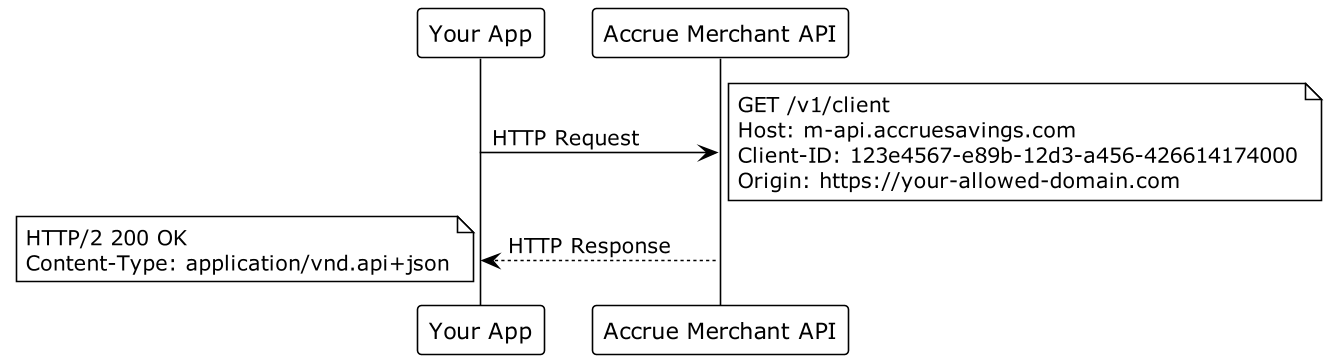
- Public requests can be made from user-facing apps by including your
Client IDin request headers. - Only a few endpoints are available to be publicly requested.
Payment Intent Flow
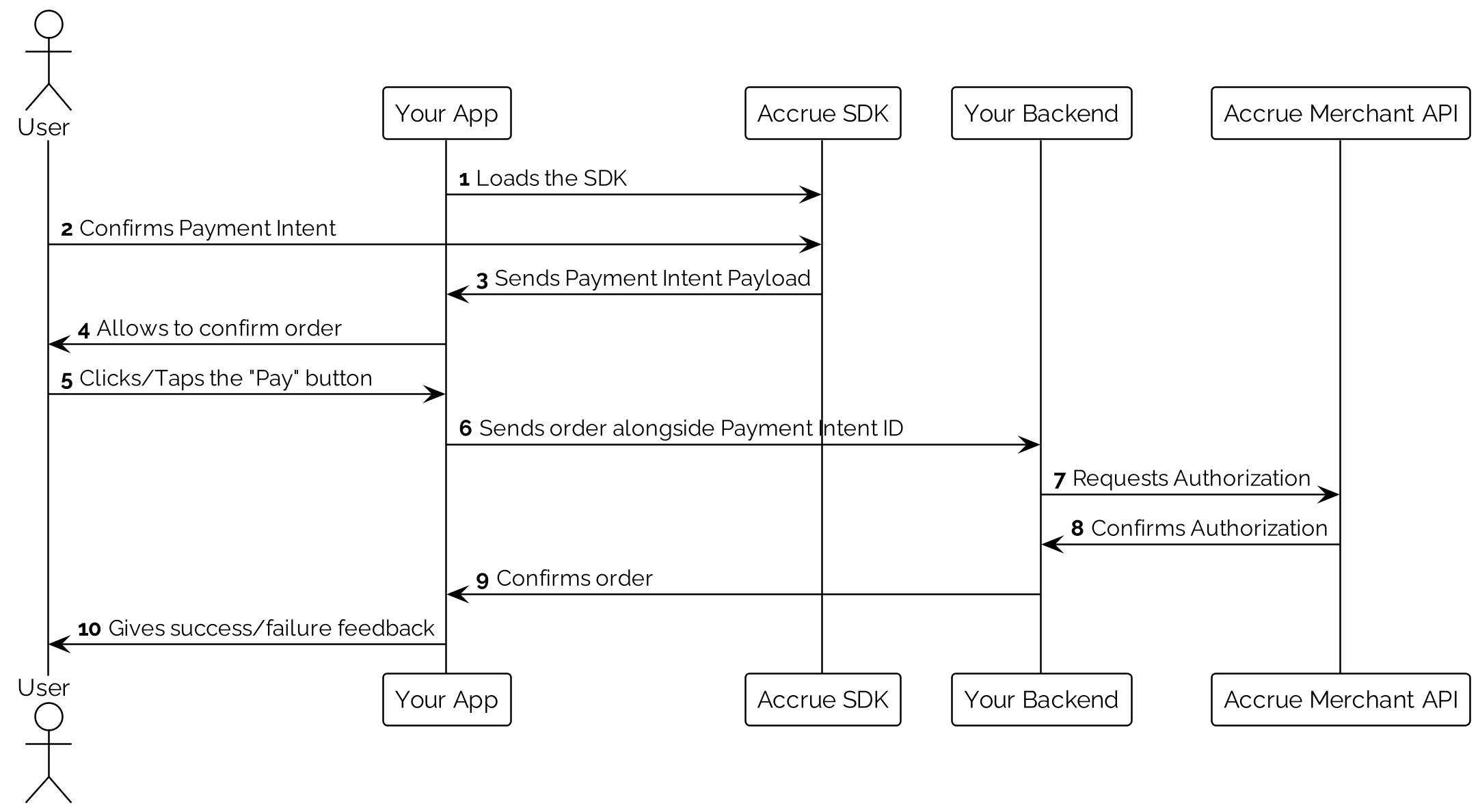
- Once you have successfully integrated Accrue Pay into your Mobile App, or Web App, you'll start forwarding
Payment Intentsto your backend. - A Payment Intent is an object that keeps track of User's choices made on your checkout page/screen and ultimately represents a payment method.
- A
Payment Intentcan bepromotedto aPaymentwithPOST /payment-intents/:paymentIntentId/authorize. Senddata.attributes.idempotencyKeyand reuse that key for retries of the same authorization, including after a timeout. A retry of an already-authorized intent returns the existingPaymentwithout authorizing again. - Once a
Paymenthas been created you canincrease-authorization,captureorcancelthat payment.
End-to-End Integration
Payment Authorization and Capture via Bank Rails
-
First promote a
Payment Intentto aPayment, using thePOST:/payment-intents/:paymentId/authorizeendpoint: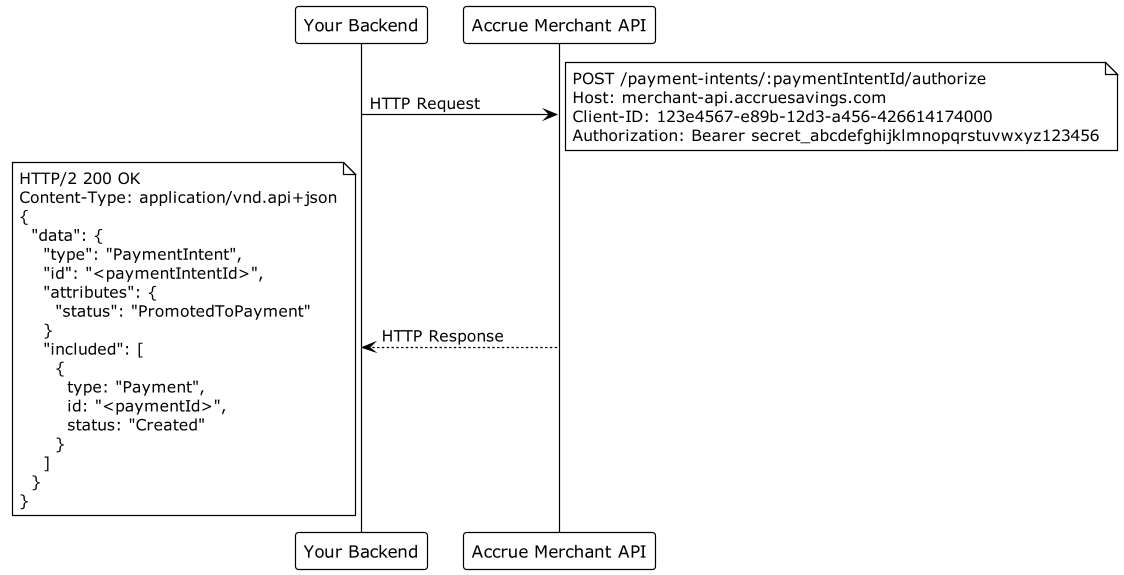
-
Once you are ready to capture the payment call the
POST:/payments/:paymentId/captureendpoint: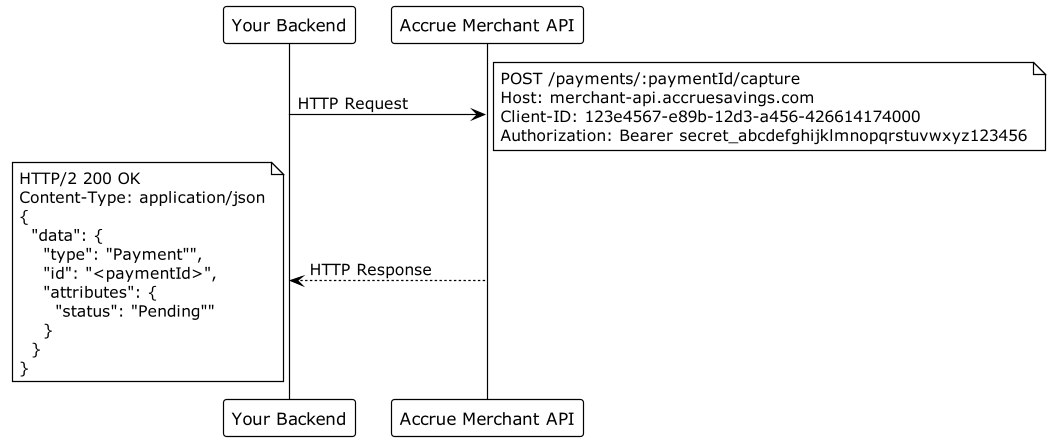
-
Once you capture the payment, funds should be cleared into your bank account at the soonest possible time.
Payment Authorization and Capture via Card Rails (Virtual Debit Cards)
- First promote a
Payment Intentto aPayment, using thePOST:/payment-intents/:paymentId/authorizeendpoint:
- Retrieve the card details using our special API for fetching cards securely
GET:https://secure-api.accruesavings.com/api/v1/payments/:paymentId/card:
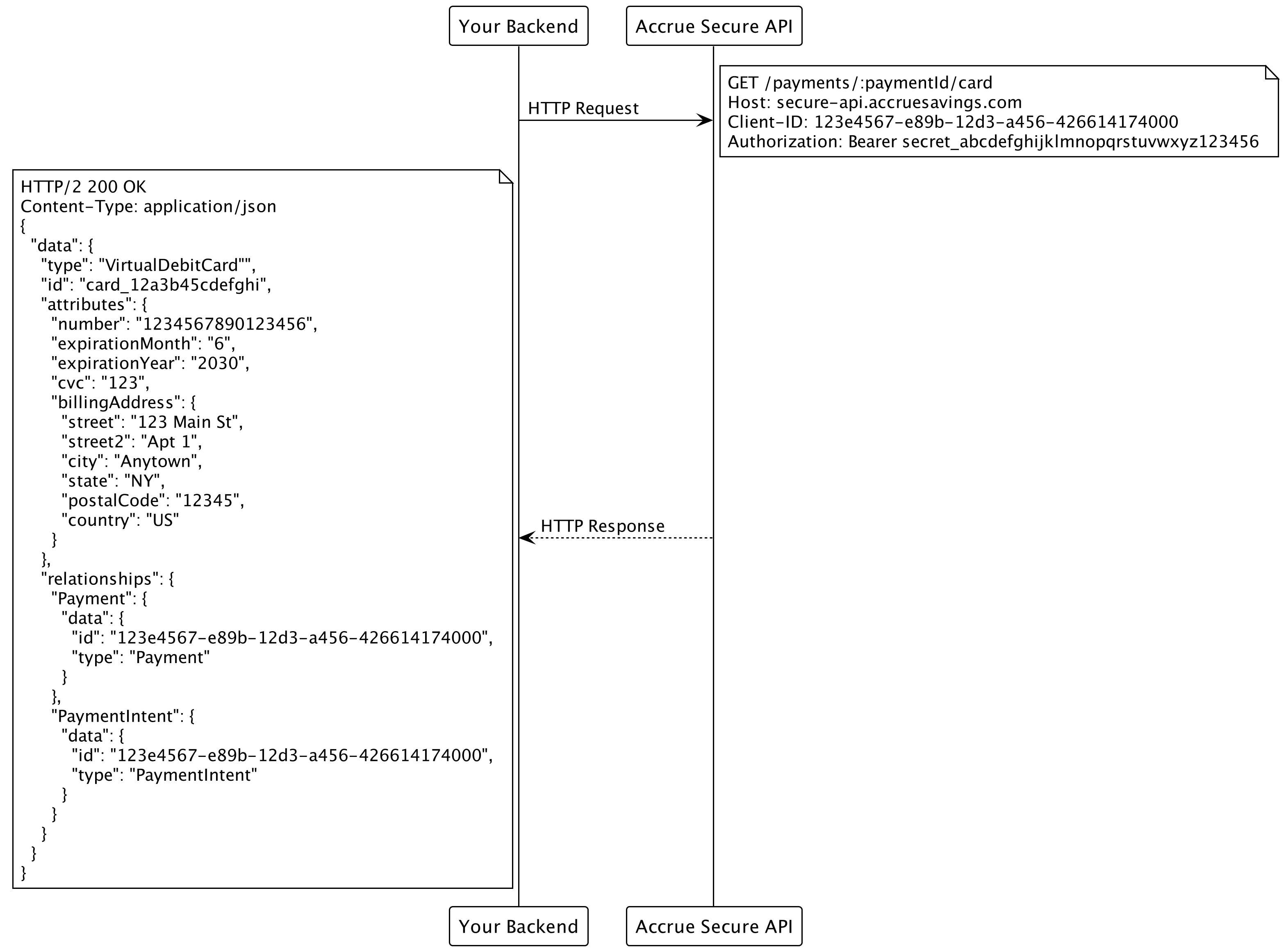
- Use the retrieved
Virtual Debit Cardto capture the payment through any payment gateway that acceptsMasterCard.
Partner Rewards
Trusted partner integrations can issue rewards to customers by phone number. See the Partner Rewards guide for the issue flow, idempotency rules, and error handling.
Full API Reference
All available requests with descriptions and examples are available here: Merchant API Reference.