Merchant API Integration
- Once you have integrated Accrue Pay into your Mobile or Web App, you'll be able to Authorize Payments or Capture Payments on your backend.
- To facilitate this we are providing you with access to our
Merchant API, for which you'll receive aClient IDand aClient Secret - We'll provide you with additional credentials to access the
Sandbox APIthat you can use in your development environments.
Making requests to the Merchant API
- For a complete overview please refer to the Merchant API Reference.
- Our API is designed utilizing the REST paradigm.
- All requests are HTTP requests. Each request can be one of the following methods:
GET,POST,DELETE,PUTandPATCH. - A successful request will return a response in the JSON:API v1.1 specification.
API URLs
- The Live version is available at
https://merchant-api.accruesavings.com - The Sandbox version is available at
https://merchant-api-sandbox.accruesavings.com
Authentication
Private Requests
- Private requests can only be made by including your
Client Secret, alongsideClient IDin request headers. - Private requests should never be made from user-facing apps, like Mobile Apps and Web Apps.

Public Requests
- Public requests can be made from user-facing apps by including your
Client IDin request headers. - Only a few endpoints are available to be publicly requested.
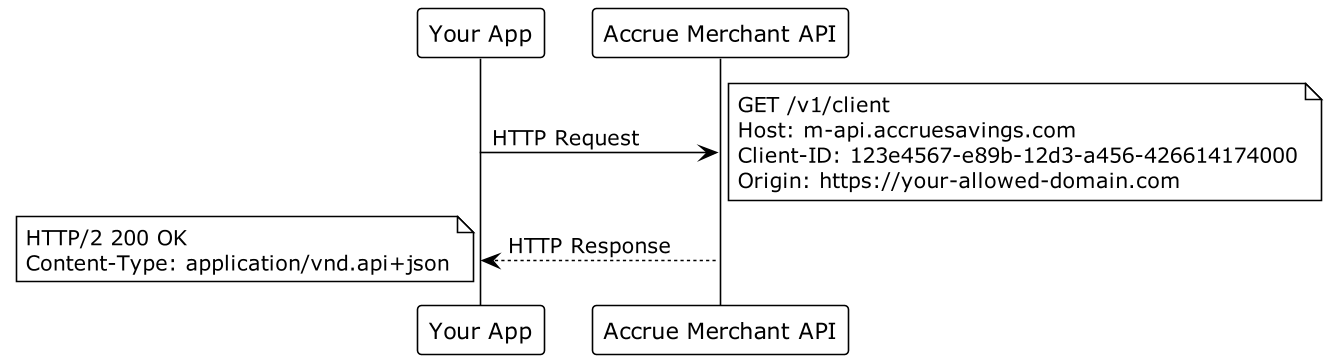
Payment Intent Flow
- Once you have successfully integrated Accrue Pay into your Mobile App, or Web App, you'll start forwarding
Payment Intentsto your backend. - A Payment Intent is an object that keeps track of User's choices made on your checkout page/screen and ultimately represents a payment method.
- A
Payment Intentcan bepromotedto aPayment. Each time you promote an intent, a newPaymentwill be authorized and created. - Once a
Paymenthas been created you canincrease-authorization,captureorcancelthat payment.
End-to-End Integration
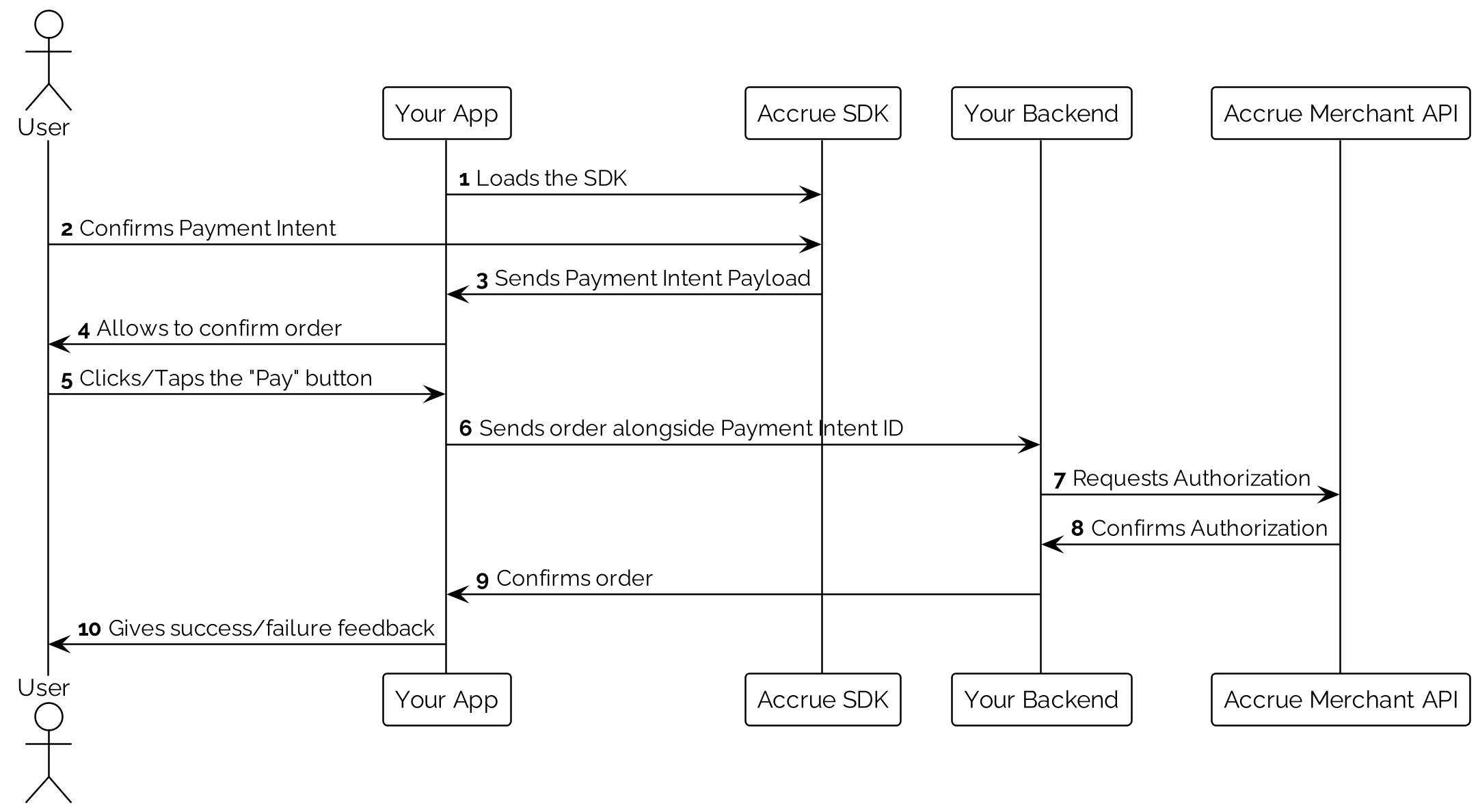
Payment Authorization and Capture via Bank Rails
-
First promote a
Payment Intentto aPayment, using thePOST:/payment-intents/:paymentId/authorizeendpoint: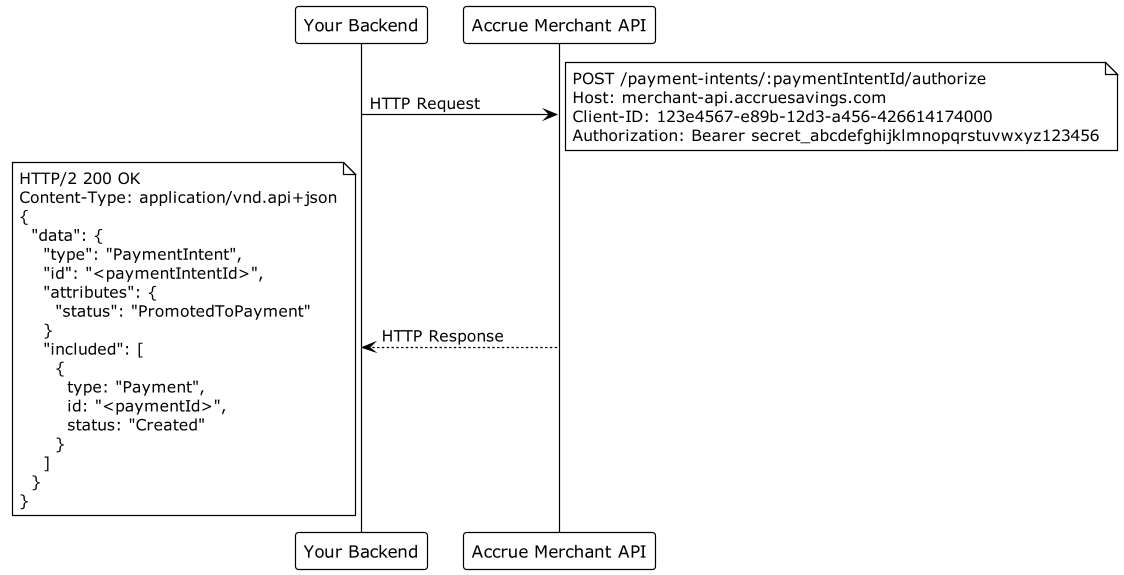
-
Once you are ready to capture the payment call the
POST:/payments/:paymentId/captureendpoint: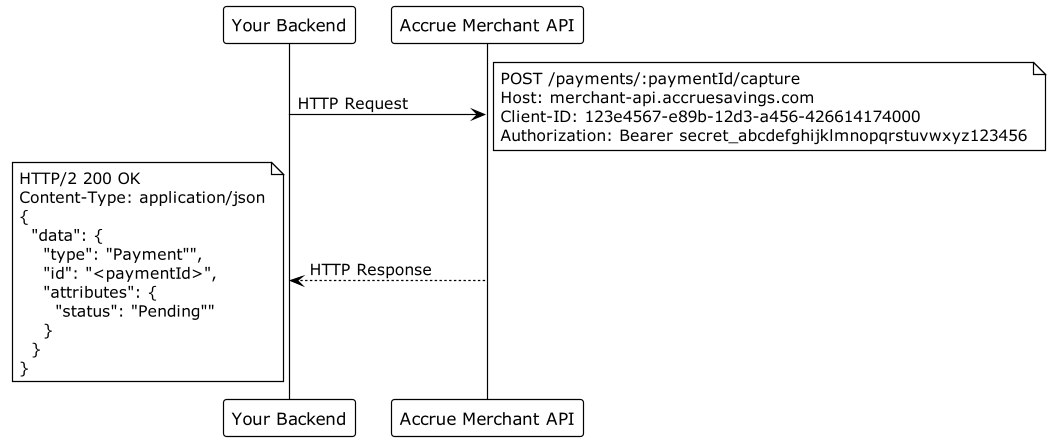
-
Once you capture the payment, funds should be cleared into your bank account at the soonest possible time.
Payment Authorization and Capture via Card Rails (Virtual Debit Cards)
- First promote a
Payment Intentto aPayment, using thePOST:/payment-intents/:paymentId/authorizeendpoint:
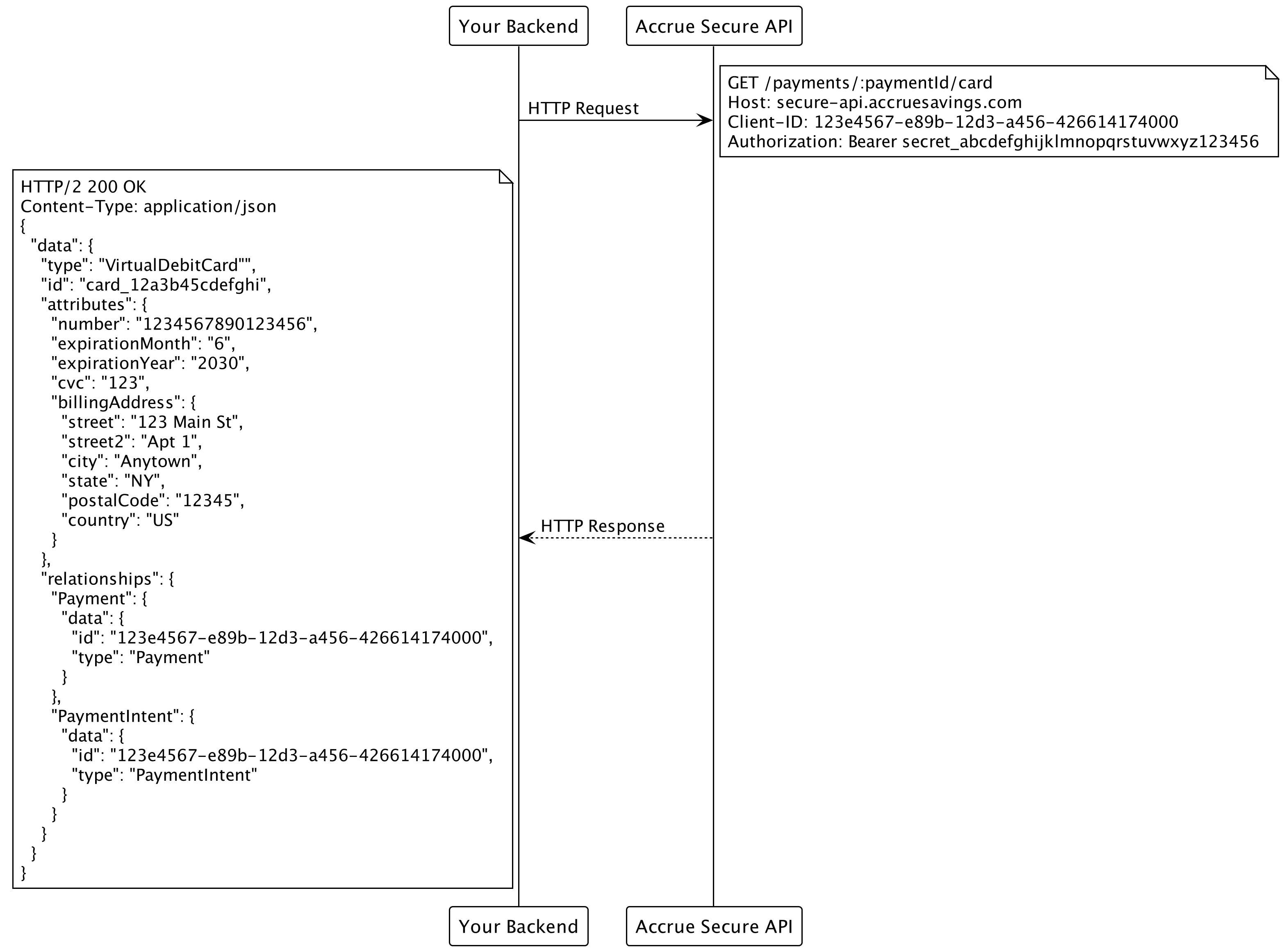
- Retrieve the card details using our special API for fetching cards securely
GET:https://secure-api.accruesavings.com/api/v1/payments/:paymentId/card:
- Use the retrieved
Virtual Debit Cardto capture the payment through any payment gateway that acceptsMasterCard.
Full API Reference
All available requests with descriptions and examples are available here: Merchant API Reference.